What it’s for
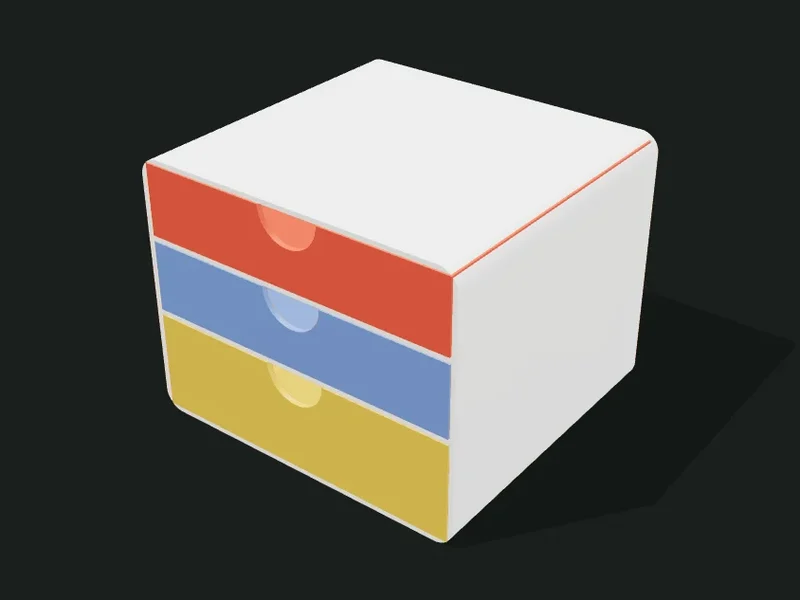
A small drawer unit: a case with shelves and drawers that slide in. The drawers can have different heights, be spread over several columns and have a handle of your choice. Each drawer comes out as a separate part, so you can print them in different colors.
Ideas
- Desk drawer unit for clips, erasers, cables and USB sticks.
- Workshop organizer for screws, washers and wall plugs.
- Small box for jewelry or makeup.
- Craft drawers for thread, buttons and beads.
Step by step
- Choose a preset: «Three drawers», «2×3 workshop drawers» or «Small box of 2 with knob».
- In «Case» adjust the width, depth, height and wall.
- In «Drawers» drag the boundaries to give each drawer the height you need and choose how many columns.
- Choose the handle and its size, and adjust the clearance.
- Check the «Exploded» view to see the drawers pulled out and export.
Tips
- Clearance is key: with 0.5 mm the drawers slide smoothly on almost every printer; if they jam, raise it to 0.6–0.7.
- Print the case resting on its back if it’s tall, so the shelves don’t need supports (check «On the bed»).
- The knob works better on small drawers; the finger slot keeps the front flat.
- If the drawers end up very low (under 15 mm usable), lower the number or raise the total height.
Presets
Parameters
Case
The cabinet that holds the drawers: sizes, rounding and thickness of walls and shelves.
Outer width of the case, from left to right.
Outer depth of the case. The drawers are a bit shallower.
Outer height of the case. It’s split among the drawers according to the proportions.
Rounding of the case’s corners seen from the front. It gives a soft furniture look.
Thickness of the case’s walls and of the shelves between drawers. 2 mm is sturdy.
Drawers
How many drawers, their height, columns, clearance, thicknesses and handle.
Number of drawers (bottom to top) and the relative height of each one. Drag the boundaries on the bar: «1.4,1,1» makes the bottom one taller. Add or remove drawers with the buttons.
How many columns the drawers are spread over. With 2 columns and 3 rows you get 6 drawers.
Play between each drawer and its opening in the case. 0.4–0.6 mm slides well; less may jam.
Thickness of the drawers’ walls and floor. 1.2–1.6 mm is sturdy.
Thickness of each drawer’s front (the visible face). Thicker makes it more solid and leaves room for the handle.
Handle shape: finger slot, half-moon cut out at the top of the front, protruding knob, or no handle.
Size of the handle (width of the slot or the half-moon, or diameter of the knob).
Outer texture
Decorative relief on the outer walls. It doesn’t change the inside sizes.
Relief on the outer walls. The texture is added outward: the inside and the wall thickness don’t change, so inserts and usable sizes stay the same. «Ribs» and «Flutes» are vertical, «Rings» horizontal, «Waves» helical and «Knurl» a diamond pattern that gives grip.
How far the texture sticks out (mm). 0.6–1 mm shows well without overdoing it; more than 2 mm adds a lot of material and print time.
Spacing between ribs, flutes or waves measured around the part. Small values give fine striping; large ones, bold. It should be at least 3 times the relief.
Vertical spacing between rings, waves or knurl diamonds. With 0.2 mm layers, less than 2 mm looks stepped.