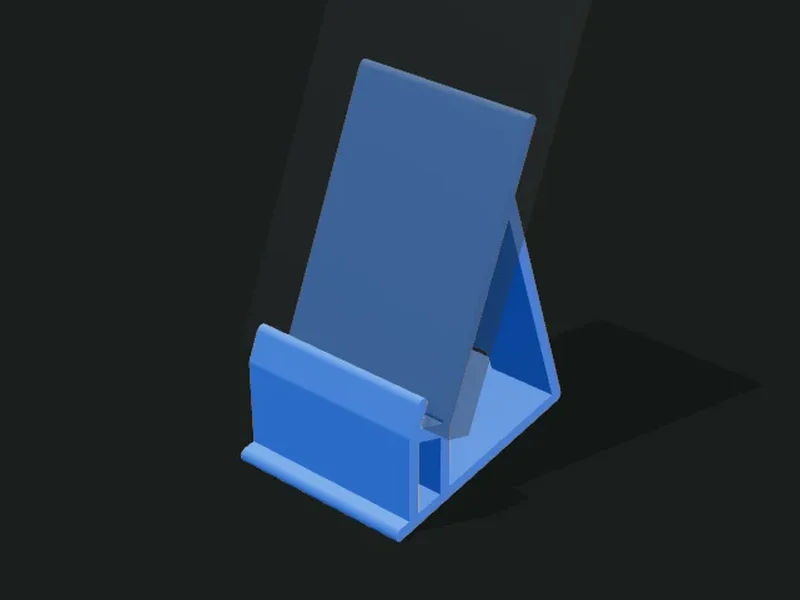
What it’s for
Desk stands for a phone or tablet. There are three types: fixed (a single part), swivel (the stand rotates on a round base) and two-axis, which rotates and also tilts with a hinge adjusted by a screw. All have a ledge sized to the phone’s thickness, a lip at the front and an optional slot for the charging cable. The app warns you if the phone could tip the stand over.
Ideas
- Desk stand to see notifications while you work.
- Low stand for video calls, with the phone more upright.
- Tablet stand for recipes in the kitchen.
- Stand with a charging cable for the nightstand.
Step by step
- Choose a preset: fixed, low fixed, swivel, two-axis or tablet.
- In «Phone» enter the thickness with the case on, the width and the height of your phone.
- In «Stand» adjust the tilt, the width, the backrest height and the ledge height.
- If you’ll use it while charging, keep the cable slot and a ledge of 28 mm or more.
- For the two-axis one, choose the screw and how it’s tightened (nut, insert or thread in the plastic).
- Check the tipping warning and export.
Tips
- Measure the phone with the case on: the ledge comes out 1 mm wider than that value.
- If the app warns that it tips, lower the tilt, enlarge the width or the base, or lower the backrest.
- On the two-axis stand, with less play between the ears and the fin the hinge holds more when tightening the screw.
- The USB-C connector with its plastic housing is about 12 × 6.5 mm: a 13 mm slot is enough for almost all of them.
Presets
Parameters
Type
Fixed, swivel or two-axis.
«Fixed»: one part, the simplest and sturdiest. «Swivel»: the stand rotates on a round base, to switch from portrait to landscape. «Two-axis»: it rotates on the base and also tilts with a hinge tightened by a screw.
Phone
The dimensions of your phone (or tablet) with the case on.
Thickness of the phone with the case on. The ledge comes out 1 mm wider so it goes in without forcing.
Width of the phone (or tablet). It’s used for the view and to calculate whether it tips.
Height of the phone. It’s only used to calculate whether the stand tips over and to show it in the view.
Stand
The shape of the stand: tilt, size, ledge, lip and cable slot.
Tilt of the backrest measured from the table. 60–70° is comfortable for reading at the desk; 70–75° for video calls. On the two-axis stand it’s the starting position: then it’s adjusted.
Width of the stand (left to right). Wider is more stable; for a tablet, 100 mm or more.
Height of the backrest, measured along its tilt. It must hold at least half of the phone.
Height of the ledge the phone rests on, measured from the table. With a charging cable you need about 28 mm under the ledge for the connector.
Height of the lip at the front of the ledge, which keeps the phone from slipping.
Thickness of the stand’s plates. 4–5 mm is sturdy for a phone; for a tablet, 5–6 mm.
Opens a slot in the ledge and the backrest to pass the charging cable with the phone in place.
Width of the cable slot. The USB-C connector with its plastic housing is about 12 × 6.5 mm: 13 mm is enough.
Hinge (dual axis)
The screw that acts as the tilt axis on the two-axis stand, and how it’s tightened.
Size of the screw that acts as the hinge axis. M5 is a good balance; with «Other size» you enter the diameter by hand.
Diameter of the screw with a custom size.
How much bigger than the screw the hinge hole is. Less play = stiffer rotation. 0.2–0.3 mm is usual.
How the screw grips on the other side: hex nut embedded in the ear (the most common), brass threaded insert set with heat (very firm), or thread directly in the plastic (no nut, for light adjustments).
Size of the nut across flats (the wrench it takes), with a custom-size screw.
Depth of the nut’s hexagonal pocket. It should be equal to or a bit more than the nut’s height.
Play of the nut’s pocket. With 0.1 mm it presses in and doesn’t turn when tightening the screw.
Diameter of the hole for the threaded insert. 0 uses the value for the screw. Check the manufacturer’s recommended size (M3 ≈ 4.0; M4 ≈ 5.6; M5 ≈ 6.4 mm).
Length of the hole for the insert. 0 uses the value for the screw; enter your insert’s length plus 1 mm.
Makes a counterbore on the screw head’s side so it doesn’t stick out.
Diameter of the counterbore for the screw head. 0 uses the value for the screw.
Depth of the head’s counterbore. Equal to the head’s height leaves it flush.
Thickness of each ear of the hinge fork. The nut or insert ear thickens by itself if needed.
Thickness of the stand’s fin that sits between the two ears and rotates on the screw.
Play between the ears and the fin. With 0 the hinge holds more when tightening the screw; with more, it turns loosely.
Rotating base
The round base the stand rotates on.
Diameter of the round base of the swivel and two-axis stands. Bigger is more stable.