What it’s for
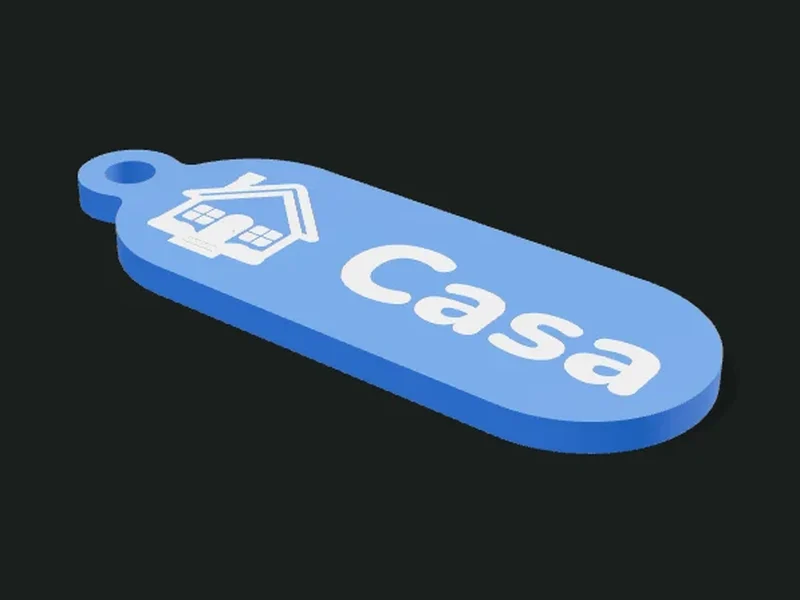
A personalized keychain with a name, an emoji or your own SVG drawing. The plate can follow the silhouette of the content or have a fixed shape (rectangle, capsule, tag, circle, hexagon or heart). The content can be raised, inlaid in two colors, engraved or cut through. Optionally it has text on the back, a hidden pocket for an NFC tag and a printed carabiner.
Ideas
- Keychain with a name to give as a gift or sell.
- Luggage or backpack tag with a phone number on the back.
- Tag for the pet’s collar.
- NFC medal that opens a link (your Instagram, a menu, the Wi-Fi) when you bring the phone close.
Step by step
- Choose a preset: name, luggage tag, emoji, pet, NFC or with carabiner.
- In «Content» type the text (and a second line if you want) and choose font and size.
- If you want an icon, choose an emoji or load your SVG, and where it goes relative to the text.
- In «Shape» choose the silhouette or a fixed shape and its size.
- In «Finish» choose raised, inlaid, engraved or cut-through.
- Choose the ring and the extras (text on the back, NFC, carabiner) and export.
Tips
- For two colors without a multicolor printer, use «Raised» and change the filament at the layer where the relief starts.
- With letters under 6 mm, the thin strokes may not come out: use the rounded font and raise the size.
- If an emoji comes out with very thin lines, raise «Thicken lines» to 0.3 mm or use «Filled silhouette».
- For the NFC tag, add a pause in the slicer at the layer where the pocket ends, put the tag in and continue.
Presets
Parameters
Content
The text, the font and the icon (emoji or SVG) on the keychain.
Main text of the keychain: a name, a word, a number. You can type emojis inside the text (for example «Home 🏠»). Leave it empty if you only want the icon.
Second line, smaller, under the main one (for example a phone number). Leave it empty for a single line.
Font. «Rounded» is the easiest to print small; «Condensed» fits more letters in little width; «Handwritten» is decorative and needs bigger letters.
Height of the capital letters. 8–12 mm for a regular keychain; under 6 mm may not read well.
Size of the second line relative to the first. 0.6 makes it 40 % smaller.
Adds an icon: an emoji (searched by name in Spanish) or your own SVG drawing.
Emoji used as the icon. Search for it by name (in Spanish) in the picker.
Your own SVG file (a logo, a drawing). Only filled shapes are used; unfilled lines are ignored.
Height of the icon. It’s best a bit bigger than the text.
Where the icon goes relative to the text: left, right, above, or just the icon (no text).
«Drawing (lines)» reproduces the emoji with its inner lines. «Filled silhouette» uses only the filled outline, simpler and easier to print small.
Thickens the icon’s thin strokes so they come out with a 0.4 mm nozzle. 0.15–0.3 mm is enough for most emojis.
Shape
The shape of the plate and its size.
Shape of the plate. «Silhouette» follows the outline of the text and the icon with a margin. The others are fixed shapes with the content centered.
Width of the plate in the fixed shapes (or diameter, for circle and hexagon).
Height of the plate in the fixed shapes (for circle and hexagon the width is used as the diameter).
Rounding of the corners for rectangle and tag.
Free space between the content and the edge of the plate. In «Silhouette» it sets how thick the plate is around the letters.
Thickness of the plate. 3 mm is sturdy; with NFC use 3.6 mm or more.
If the text or the icon don’t fit the fixed shape, it shrinks them automatically so they fit with the margin.
Finish
How the content looks: raised, inlaid, engraved or cut through.
«Raised» sticks out (two colors by changing filament). «Flush inlay» sits level, in another color (needs multicolor). «Engraved» sinks the content. «Cut-through» cuts it out through the plate.
How far the content sticks out (raised) or sinks in (engraved and inlaid). 0.8–1.2 mm shows well.
Adds a raised border around the plate, like a frame. It protects the relief from rubbing.
Width of the raised border. 1.2–2 mm looks neat.
Ring
Where the key ring or strap goes through.
Where it hooks on: hole with reinforcement around it, ear sticking out of the plate, slot to pass a strap, or no ring.
Where on the plate the ring goes: left, top, right or top-left corner.
Diameter of the ring hole. 4–5 mm fits a regular key ring.
Width of the strap that will go through the slot (plus a bit of play).
Thickness of material around the hole or slot. 2.5 mm or more keeps it from wearing through.
Extras
Text on the back, NFC pocket and carabiner.
Text engraved on the back, for example a phone number: «If found: 099 123 456». Leave it empty if you don’t want any.
Height of the letters on the back. 4–5 mm reads well engraved.
Leaves a hidden pocket inside the plate for a 25 mm round NFC tag (NTAG213/215). You pause the print, insert the tag and continue.
Adds a printed carabiner with a flexible latch, to hook the keychain onto a backpack or belt loop. It comes out best in PETG.