
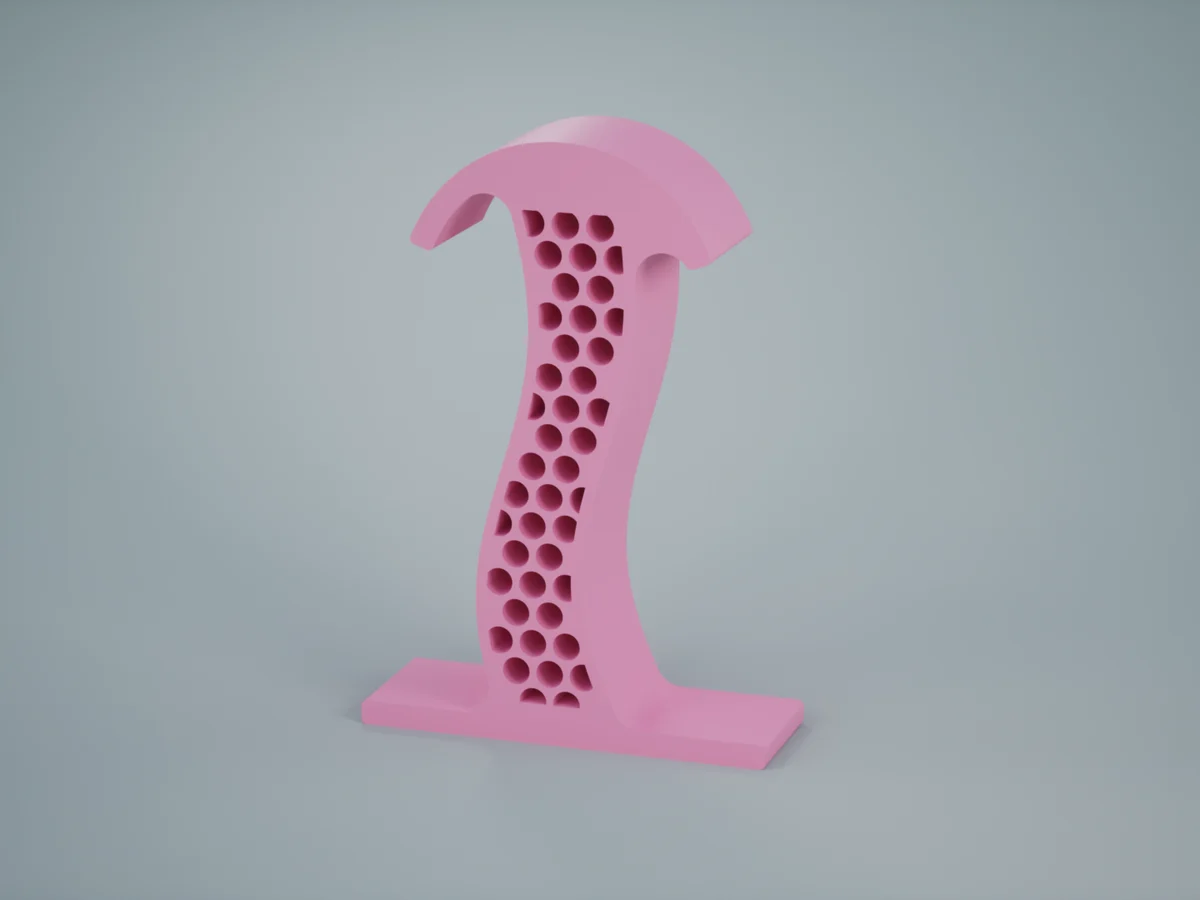
What it’s for
Holders for headphones and game controllers: a desk stand for headphones (foot, column and a curved rest for the headband), a hook that screws under the desk and a controller holder for the wall or with a foot for the desk. They print lying on their side: the layers follow the shape, they are much stronger and need no supports.
Ideas
- Keep your headphones at hand without taking up desk space.
- Hang your headphones under the computer desk.
- Store console controllers on the wall or on a shelf.
Step by step
- Choose the holder type.
- Adjust the height, length and width to your headphones or controller.
- Print it lying on its side (it is already placed that way on the bed).
- Screw the hook or the wall holder with countersunk wood screws.
Tips
- For an eye-catching stand, try the tapered column with a Voronoi cut-out and change the «Variante» until you like the pattern.
- For the desk stand, a width of 45 mm or more makes it stable; felt underneath stops it from sliding.
- Print them with 4 perimeters: almost all the stress goes through the walls.
- For the under-desk hook, make sure the screws do not go through the board.
Presets
Parameters
Stand
The holder type and its size.
Desk stand for headphones, hook to hang them under the desk or holder for a game controller.
What it measures edgewise (the width of the part). On the desk stand, wider is more stable.
Thickness of the profile strokes. Thicker is stiffer.
Height of the desk stand, up to the top of the curved rest.
Length of the desk stand foot: longer is more stable for heavy headphones.
Radius of the curve where the headband rests: similar to your headphones, so it leaves no mark.
How far the hook hangs below the desk before it bends.
How far the arm sticks out where the headband or the controller rests.
Adds a foot to stand the controller holder on furniture; without a foot it screws to the wall.
Diameter of the countersunk wood screw. The holes come out countersunk.
Square edges or 45° bevels on the two large faces. Beveled looks more finished and is gentler on the hand.
Which large face is on top when it prints on its side. The top one comes out with full detail; the one resting on the bed, if it has reliefs or raised stamps, will need supports. Choose the one with the nicest reliefs.
Column
Shape and width of the desk stand column.
Shape of the column: straight, tapered (wider at the bottom, more stable) or an S curve, more organic.
Width of the column seen from the front. At 30 mm or more cut-outs and a name fit; at 10–12 mm you get the classic, slim stand.
Cut-outs
Decorative cut-outs through the column: Voronoi, honeycomb, circles, diamonds or slots.
Decorative cut-out through the column. Since it prints on its side, the holes stand vertical and print without supports.
Size of each hole of the pattern. Smaller gives a finer drawing; bigger, a lighter part.
Width of plastic between holes. At 2.4–3 mm it is sturdy; under 2 mm it gets fragile.
Solid frame around the pattern, which keeps the column stiff.
Each number makes a different Voronoi: so every stand comes out unique.
Name
A name along the column, raised, engraved or cut through.
A name or word along the column, read from bottom to top. It goes on the back face, the top one when printing.
Typeface of the name. The condensed one fits narrow columns better.
Raised or engraved on the back face, or cut through: it goes through the column and you see the background through the letters.
Stamps (brush)
Details made by hand with the viewer’s brush on the large faces and the edges: you choose an alpha, see the stamp and one click places it. White = material.
The stamps made with the viewer’s brush, in order, like a CAD history, on the two large faces of the stand and on all its edges: on curves, like the headband rest, the stamp bends to follow the shape. They are trimmed to the silhouette by themselves (never floating over a cut-out). The front face rests on the bed when printing: there engraved is better; on the back, raised or engraved. Heightmaps can also be used: a grayscale image where white is highest and black is empty, for sculpted reliefs like dragons, angels or ornaments; they look best on faces that point up when printing.